The Story & Why It Matters
Bizzscribe is a rising platform that helps businesses do everything in one place, from managing products to handling email campaigns, storefronts, and backend operations. They asked you to build a storefront experience that's clean, intuitive, and mobile-first, helping users quickly browse, shop, and trust the brand.
My Process
Understanding the Challenge
Context: Bizzscribe’s platform offered a ton of capabilities, but lacked a polished UI for the storefront part.
Goal: Design a storefront that feels modern, trusted, easy-to-use across mobile and web.
Target Users: Small business owners and entrepreneurs who need to get things done quickly with minimal fuss.
Design Strategy
Use a clean modern interface with clear categories, intuitive navigation, and strong visuals.
Ensure seamless usability on mobile and desktop screens.
Focus on trust-building elements like ratings, reviews, streamlined checkout, and saved user info.
Keep interface simple. Even with multiple features. So users don’t feel overwhelmed.
Mobile Screens
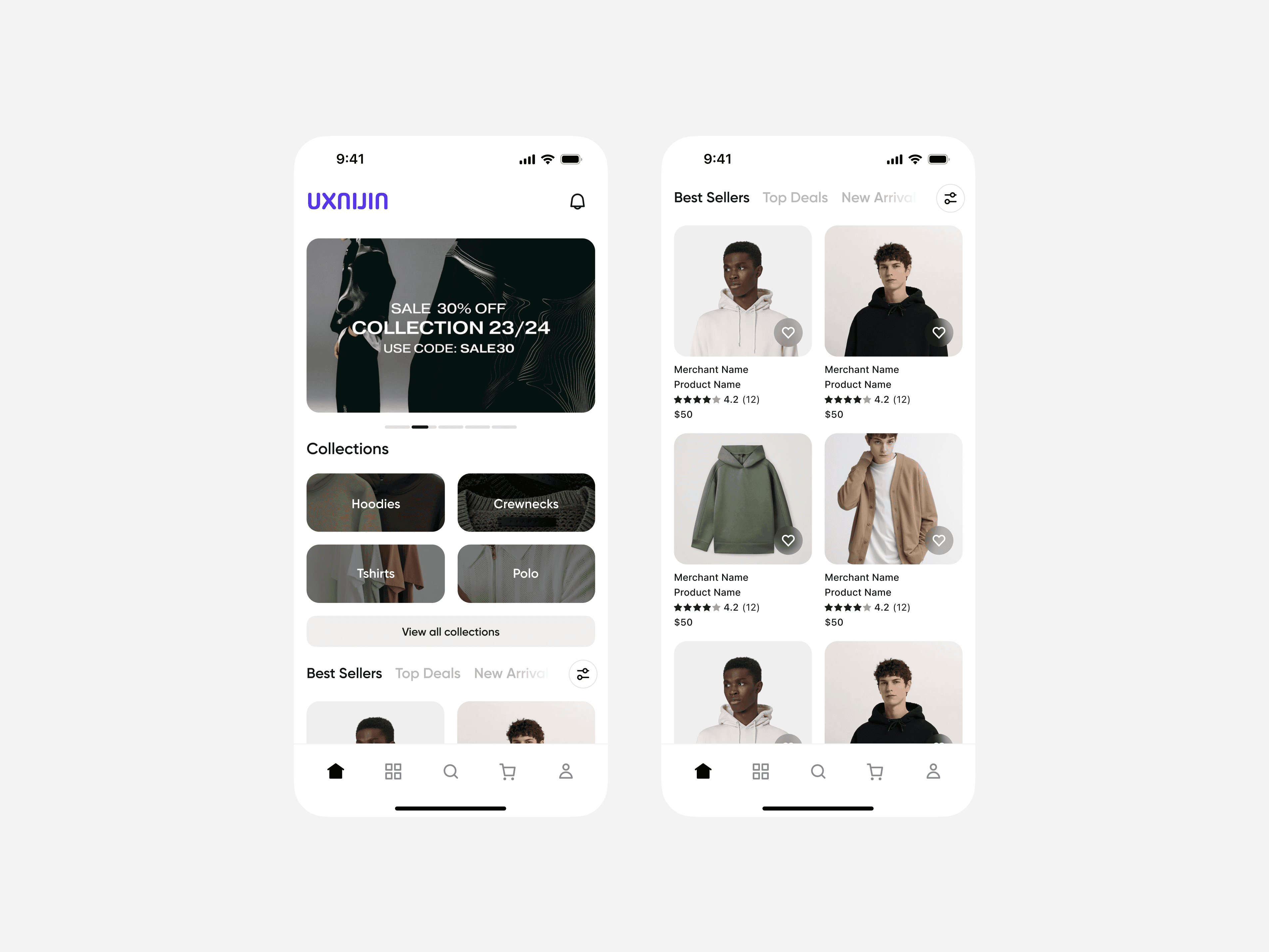
Homepage: Bold, clean hero section. Collections neatly grouped, followed by Best Sellers and easy-to-use bottom nav. Visual clarity and quick action.
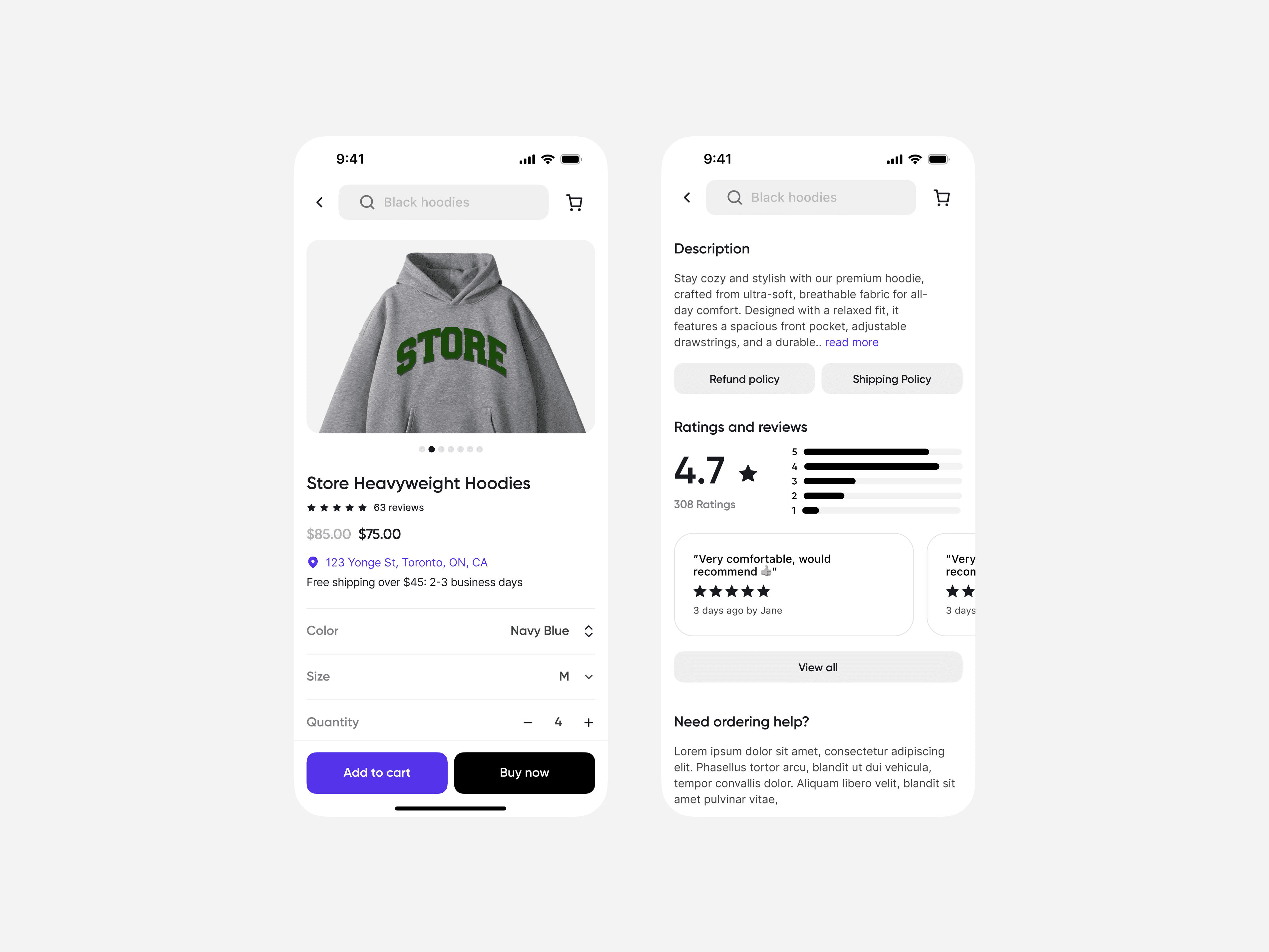
Product Page: Clear product visuals, price, details, color/size selectors, and sticky Add to Cart / Buy Now buttons. Reviews and policy buttons add trust.
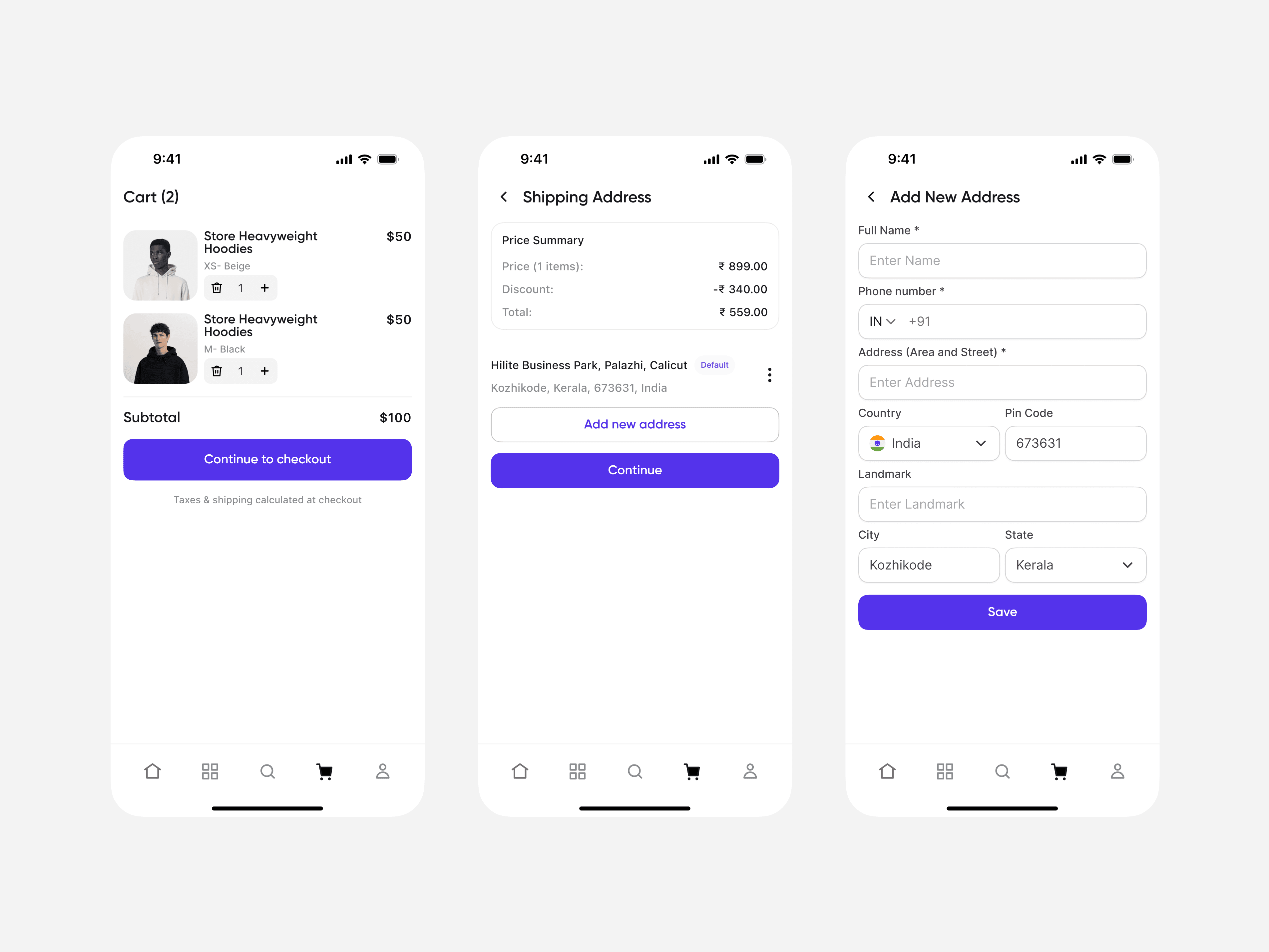
Cart & Checkout Flow:
Cart screen shows clear product list, quantity controls, subtotal, and obvious checkout call-to-action.
Address selection screen shows saved addresses with an easy “Add new address” button.
New address form is simple and captures only what's essential, reducing friction.
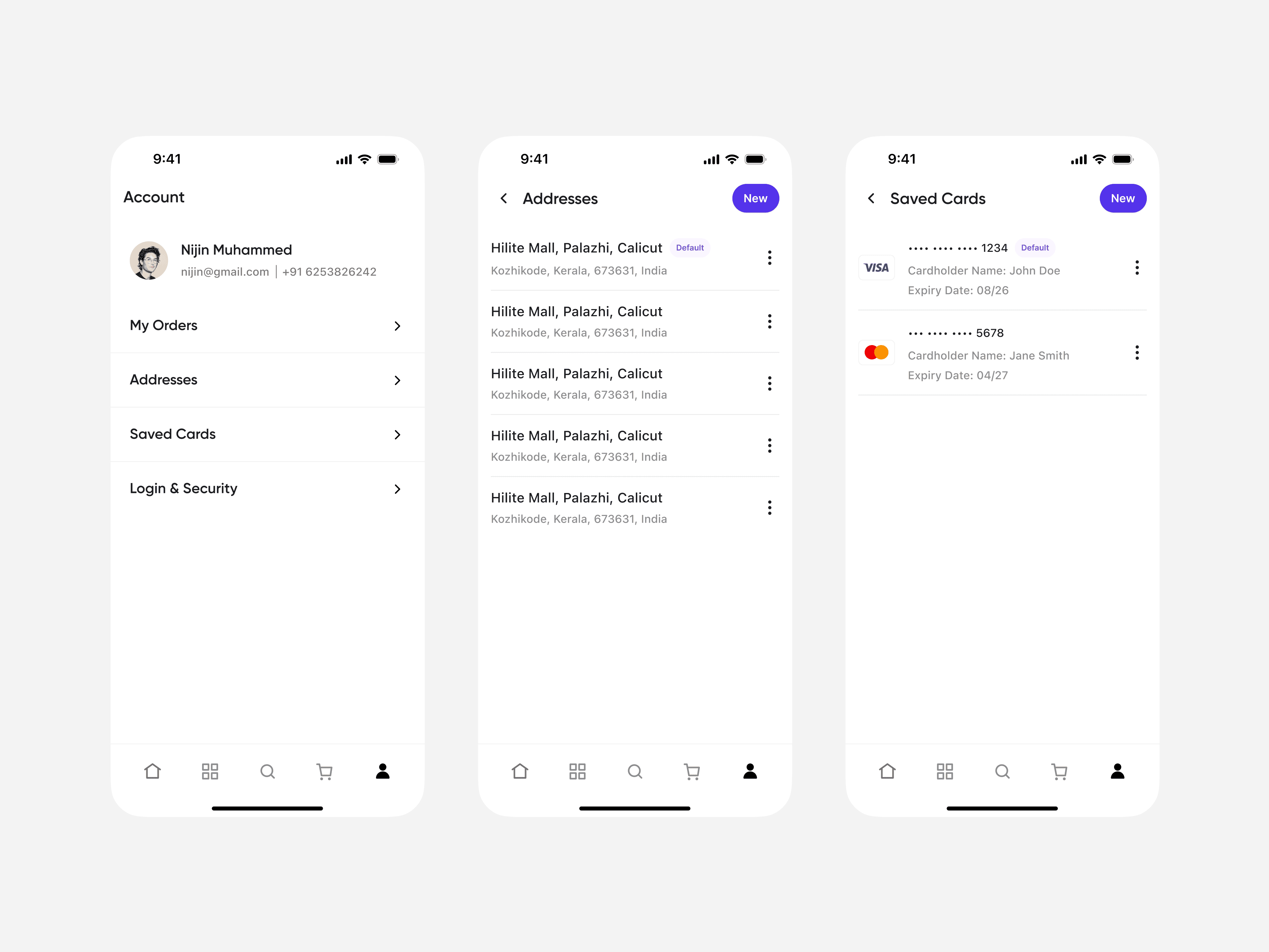
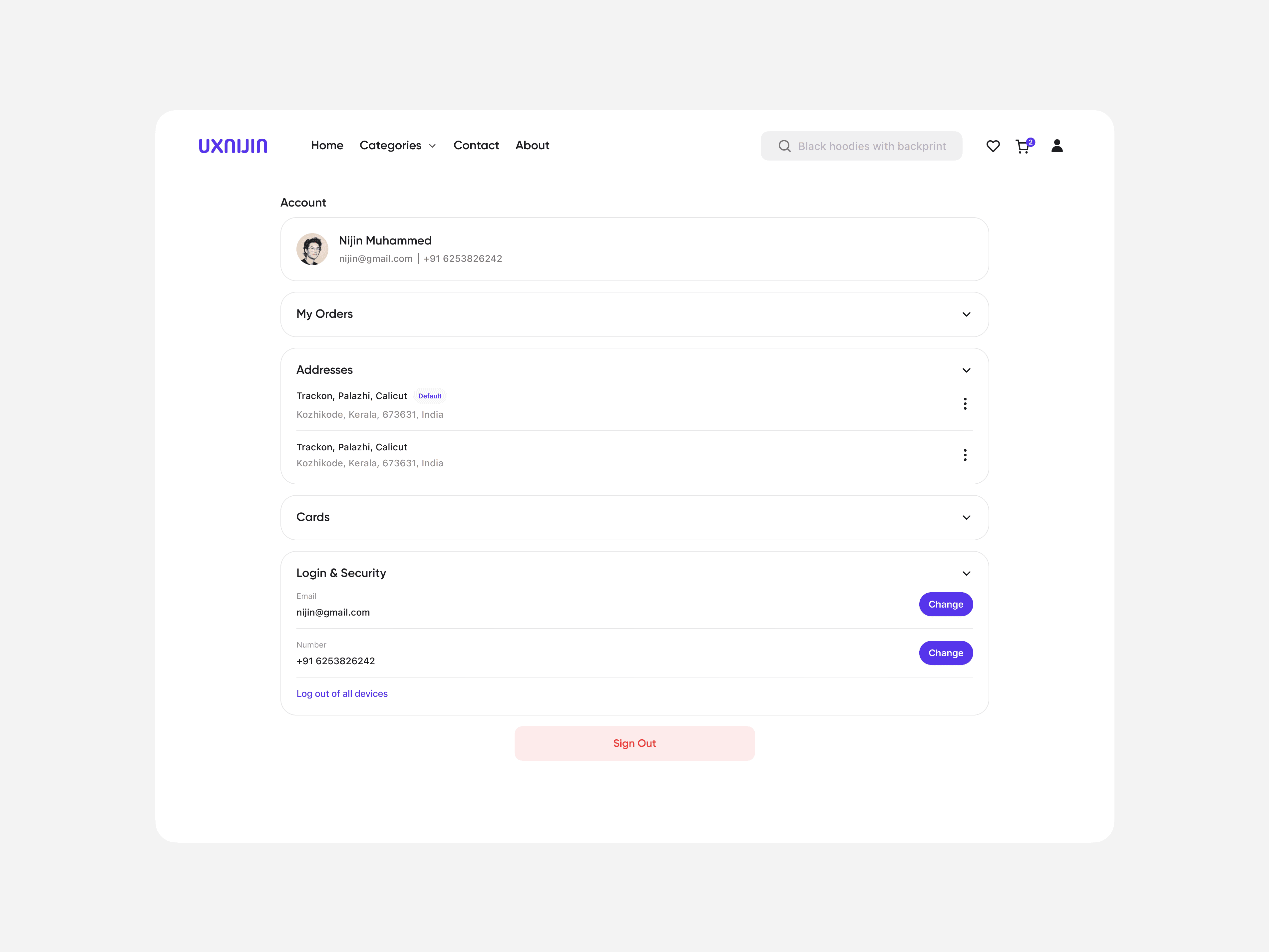
Account Section: Clean layouts for user’s account: My Orders, Addresses, Saved Cards, Security. Easily view and manage details.
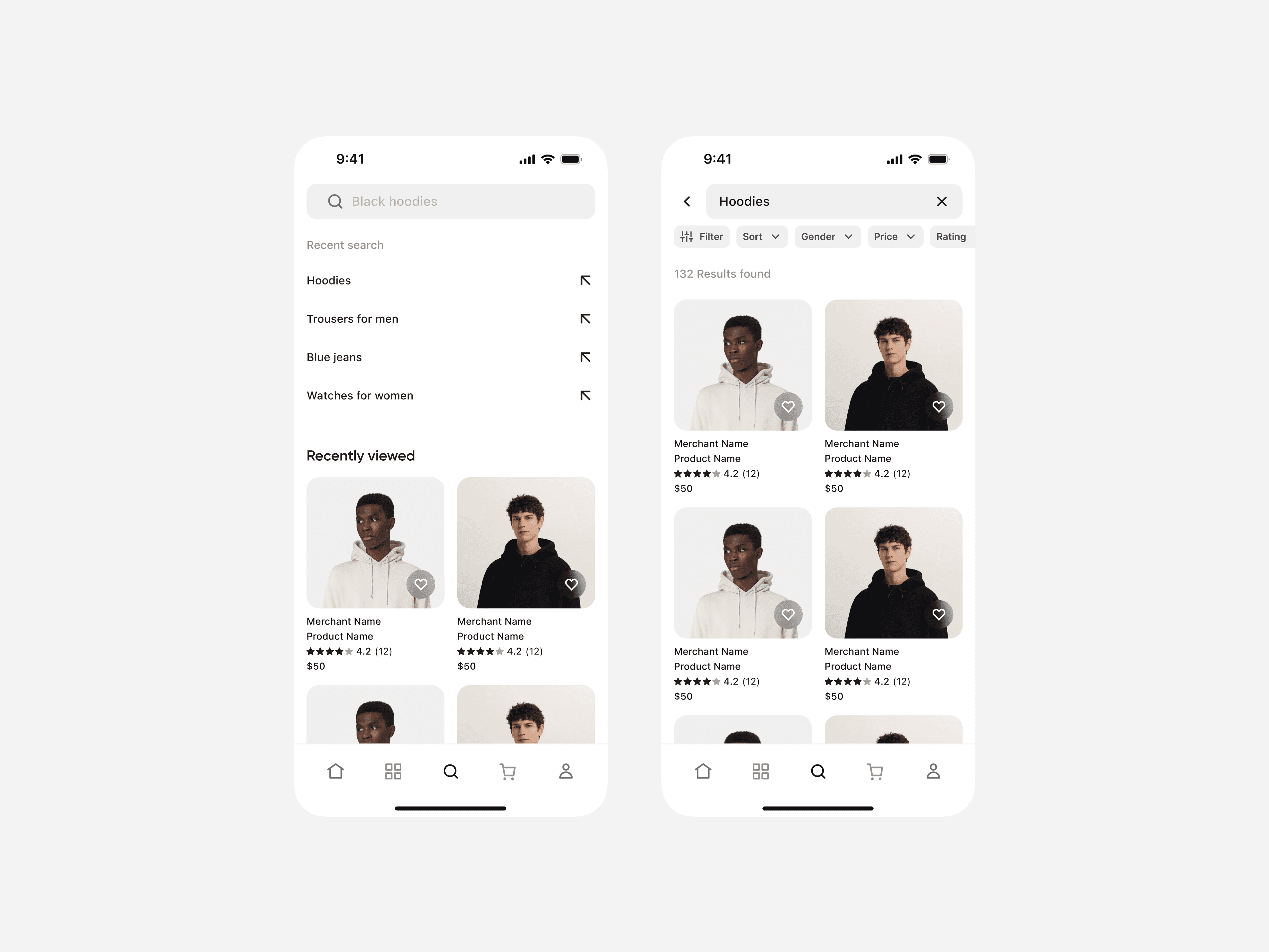
Search & Results: Recent searches and recently viewed items show search history and ease browsing. Filters on product list help narrow results quickly.
Web Screens
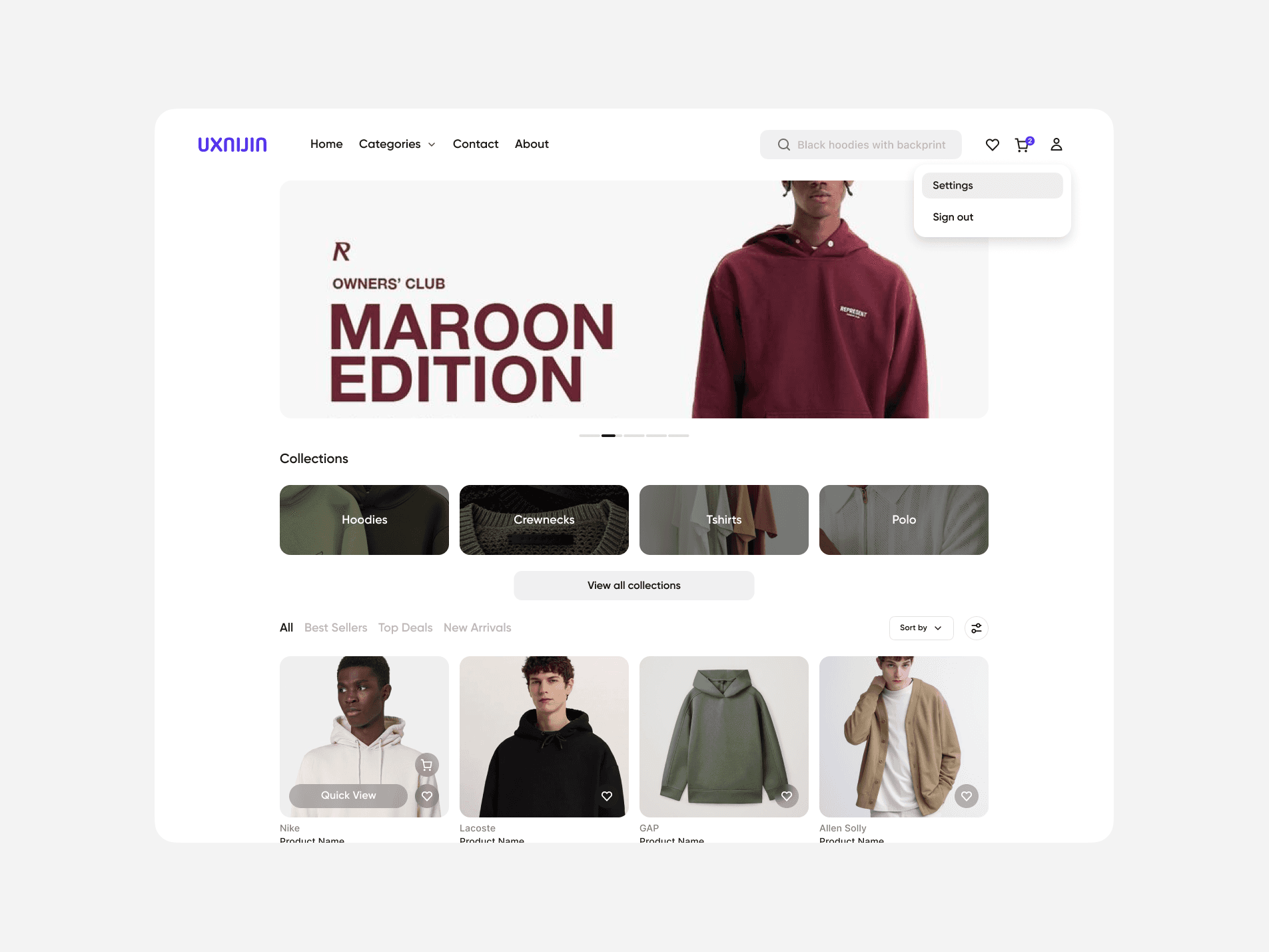
Desktop Storefront: Hero banner with bold messaging. Clean collections bar and a grid of best sellers with quick view features.
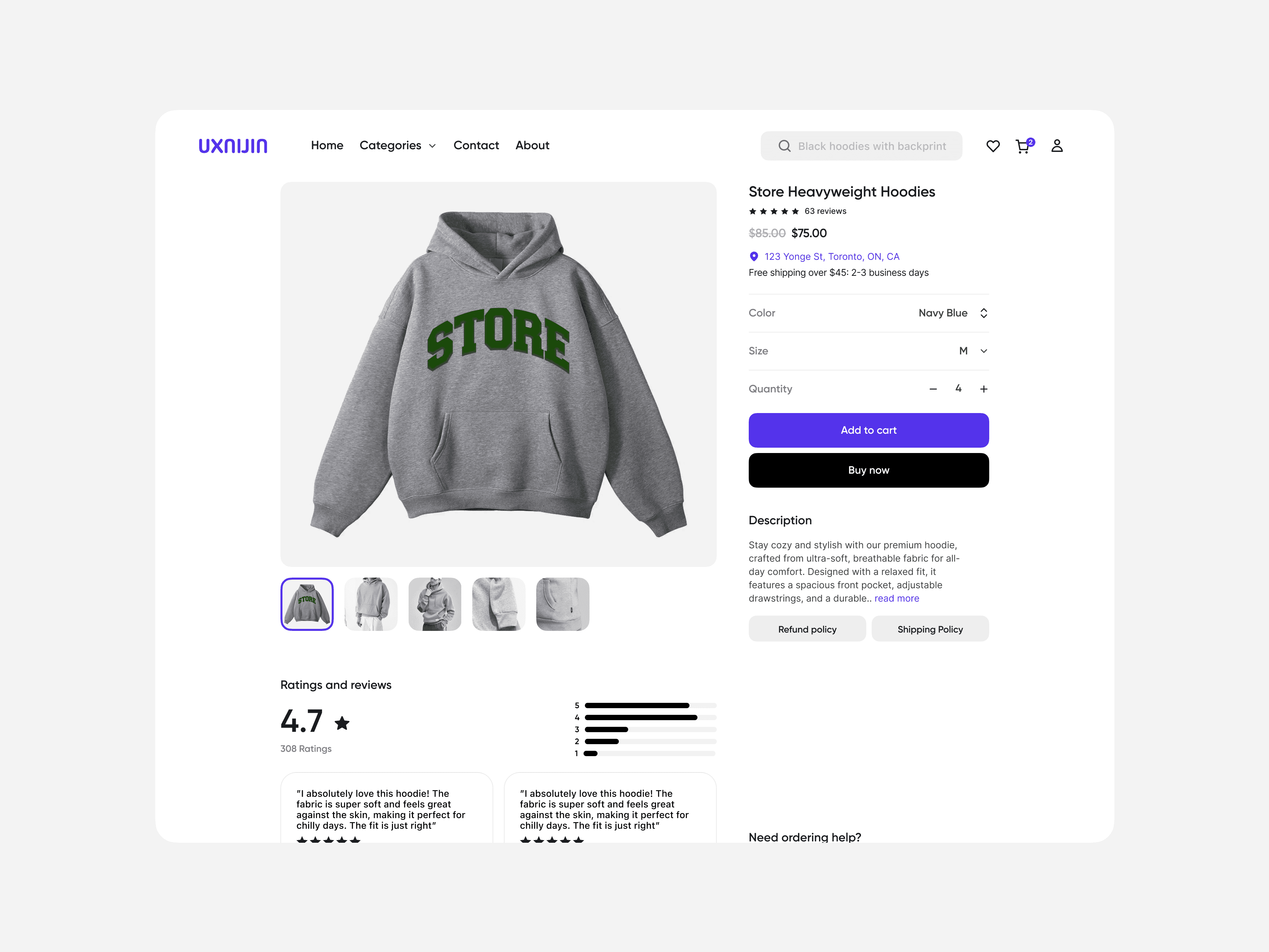
Product Detail Page: Expandable image gallery, clear pricing, selectables (color, size), sticky call-to-action buttons, and rich reviews section.
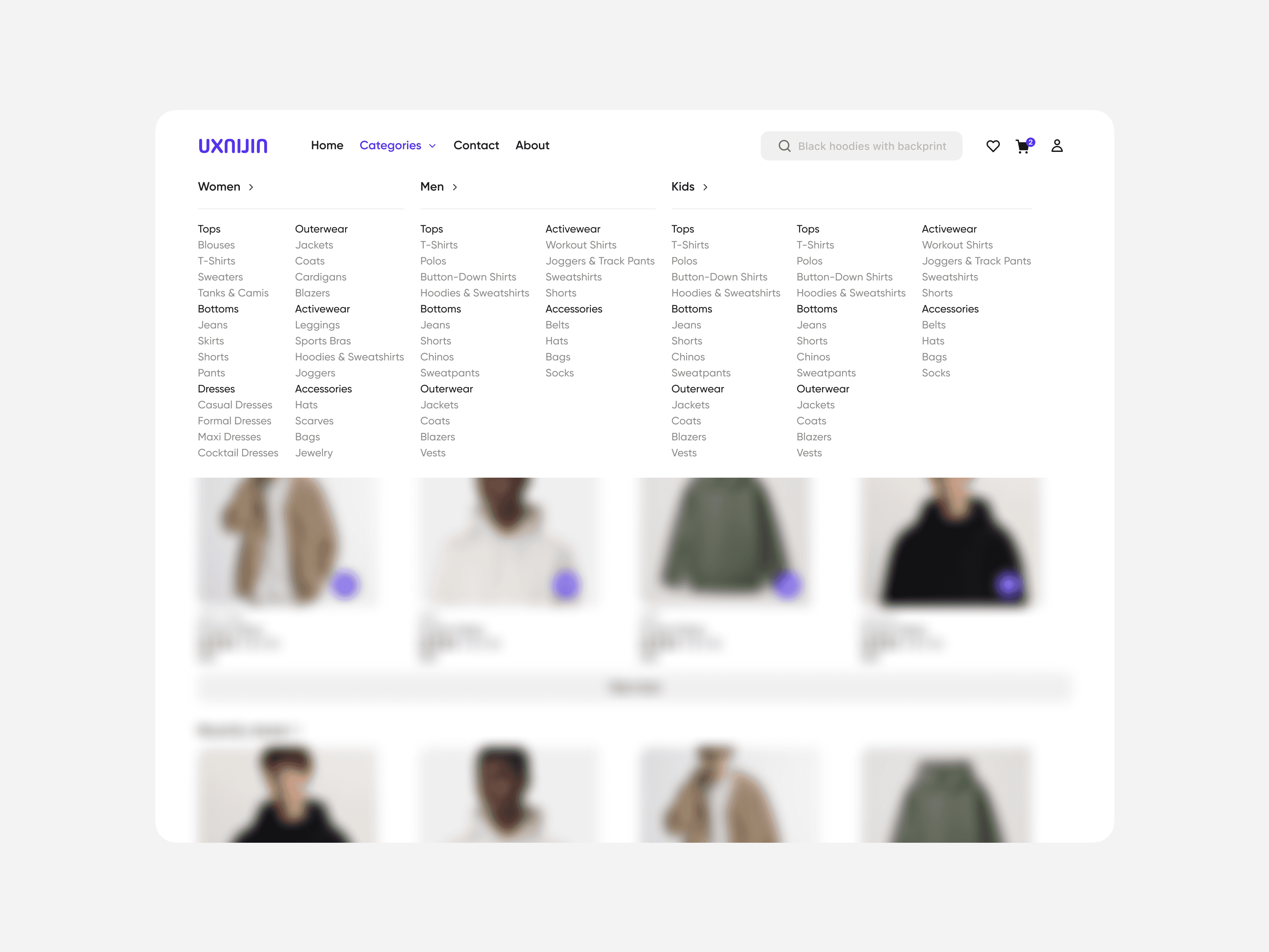
Mega Menu: Elegant dropdown categories for Women, Men, Kids, easy exploration.
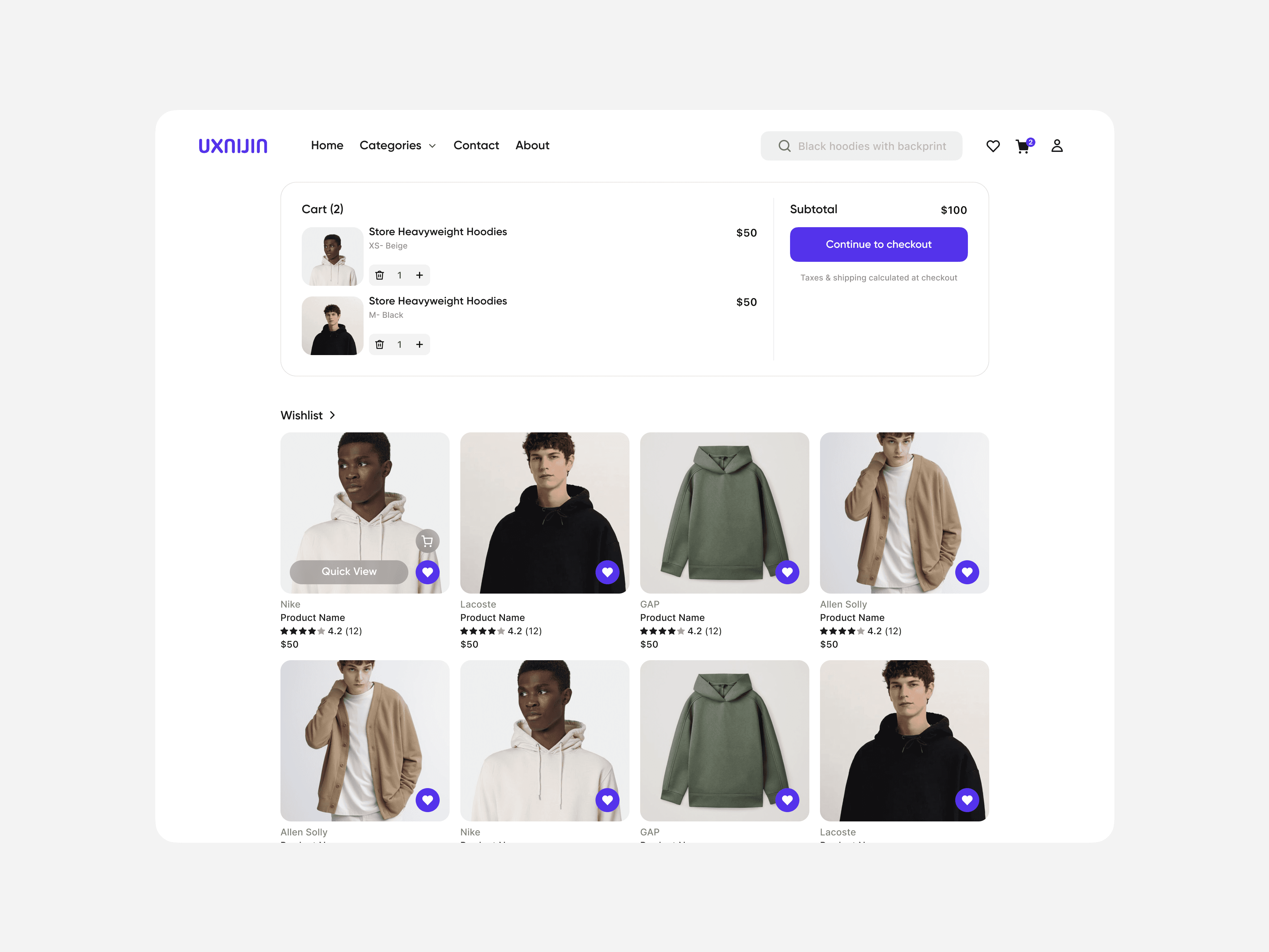
Account Overview & Cart: Mirrors the mobile layout but scaled for desktop clean tabs, clear visuals, organized wishlist below cart.
Results & Value
For Users: The experience is clear, purposeful, and built to reduce friction from browsing to checkout.
For Business: The polished storefront can help boost trust and conversions a critical part of an e-commerce platform.
Visuals & Layout Highlights
Balanced use of whitespace, grids, and hierarchy.
Consistent brand styling. Buttons, icons, item cards maintain visual rhythm.
Thoughtful responsive behavior: mobile-first designs that adapt beautifully to desktop layouts.
Realistic forms and flows. Address entry, search, filters, checkout.
Final Thoughts
This project was all about making a complex thing feel simple. I crafted a storefront experience that’s clean, trustworthy, and functional. So small business users can get straight to what matters: showcasing products and closing sales.